
Sales gets the show file on Tuesday and asks the obvious question: which of these are worth calling? At PG Exhibits + Environments, we've designed and built custom exhibits in Aurora, Colorado since 1997, and a booth we build can start a great conversation that still ends up as one anonymous row in that file. Whether sales can answer that question depends on what your trade show lead capture recorded while the buyer stood in front of your rep, and a badge scan on its own holds less of it than most teams assume.
Est. 1997
Building custom exhibits
Aurora, CO
Home base
In-house
Fabrication
Design to storage
Full program
What Does a Badge Scan Record at a Trade Show?
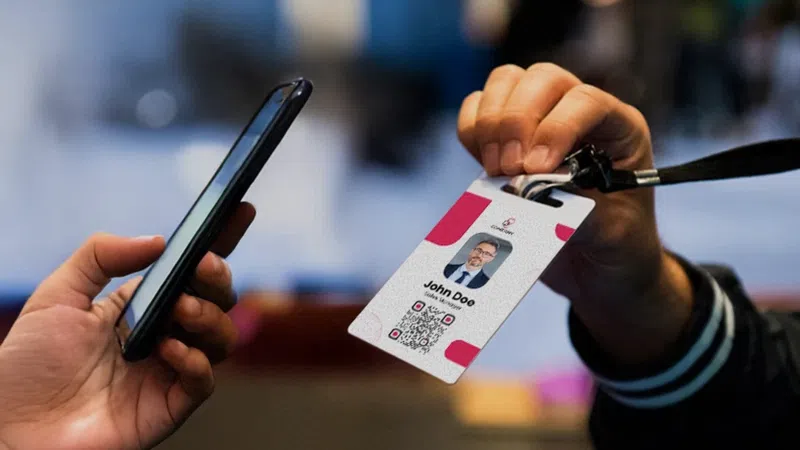
Trade show lead capture starts with a scan, and a scan pulls registration data. The attendee filled out that form when they signed up for the show, sometimes months earlier, before a promotion, a reorg, or a new budget cycle.
Put the scan next to the questions your sales team asks the week after, and the gap shows up fast.
| What the badge scan gives you | What sales asks on Tuesday |
|---|---|
| Name | Did this person talk to anyone, or grab the giveaway and leave? |
| Title | Are they still in that role, and do they have a say in the purchase? |
| Company | Does this company have a live project, and when does it need to happen? |
| Did we promise to send something, and has anyone sent it? | |
| Scan timestamp | Who on our team had the conversation? |
For about a day after the show, your booth staff can fill in that right column from memory. After a flight, a weekend, and a full inbox, they can't, and whatever lands in the CRM the following week is guesswork.
Why Does Thin Trade Show Lead Capture Cost More in 2026?
Buyers reach your booth knowing more than they did a few years ago. Forrester's State of Business Buying, 2026 surveyed nearly 18,000 global business buyers and found that 94 percent used AI during their buying process. The same research ranks generative AI and conversational search ahead of vendor websites, product experts, and salespeople as the source buyers find most meaningful.
By the time someone walks into your aisle, a website or a chatbot has already answered the easy questions. What they give your rep is the late-stage detail nobody published: the system they're replacing, the month the switch has to happen, who else signs off, and what went wrong with the last vendor. That detail is why your team flew to the show, and none of it is on the badge.
The Tuesday Test
Pull five records from your last show at random. If you can't tell from the record alone what each buyer wanted and what your team promised them, your follow-up is running on memory, and memory won't last until the next show.

When Should Your Team Sort Trade Show Leads?
Most teams sort after the show. Somebody exports the scans, opens a spreadsheet, and tries to work out which conversations mattered from names and job titles. The rep who talked to the visitor knows which leads matter most, but that rep usually isn't the person who opens the spreadsheet after the show.
Your team can sort at four different points, and each one gives you a different quality of answer:
Our new playbook is built around that last option. When your reps capture the sort at the booth, sales opens Tuesday's file with the call order already in it.

What Should a Trade Show Lead Record Hold Before You Fly Home?
The playbook lays out six fields a lead record needs before your team leaves the hall, and a rep can capture all of them in the time it takes to shake hands and say goodbye. None of the fields depend on a particular app, so they work on the scanner the show rents you as well as on a platform you configure yourself.
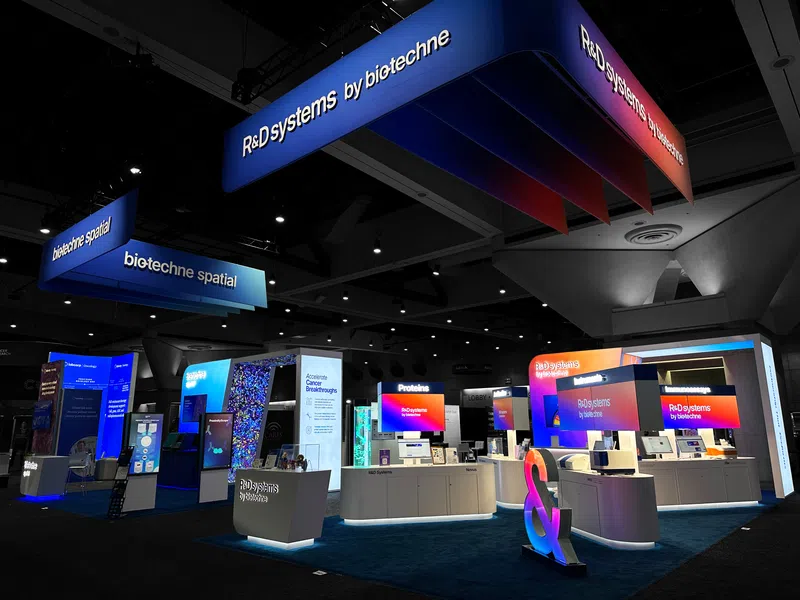
Some lead capture decisions get made on the floor plan. A rep finishing a record at the aisle line blocks your booth entrance. A booth with no distinct areas also gives reps nothing specific to write down when a buyer asks what caught their eye. We see briefs that cover meeting space, demo stations, and storage in detail and still leave lead capture out. If your team captures leads at the booth, tell your exhibit partner at kickoff where you want that to happen. Our Creative Brief Guide covers what else belongs in the brief.
Get the Lead Capture Playbook
Your booth staff get about ninety seconds with a visitor before the next person steps up. Whatever your rep records in that window is what sales has to work with on Tuesday.
Download The Lead Capture Playbook for the six fields and the capture setup that gets them filled in on a busy floor. It pairs with our Complete Trade Show Planning Guide, which covers the full program from show calendar through move-out. If you're planning a 2027 program and want lead capture built into the booth from the first sketch, start the conversation with our team.
The Lead Capture Playbook
Capture It Before You Fly Home.
The six fields every lead record needs, and the setup that gets them filled in on the floor.